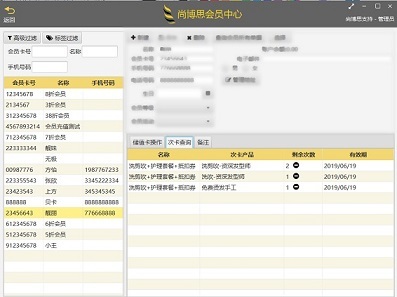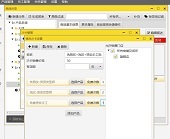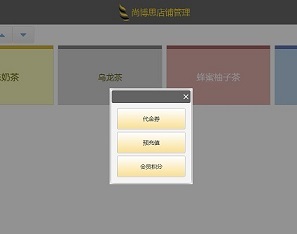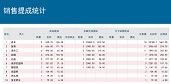


If you own a retail store, you likely need retail Pos system. But at first glance, all pos system are pretty much the same. They all record sales, they all accept returns, they all have loyalty programs etc.
When you are looking for a right retail POS system, it requires a detailed look at how you conduct business and where you see the future. The sort of tools you need depend on you business type. A busy café might have different needs than a fashion boutique. We are looking into a number of important considerations to account for when you are selecting a good POS system.
1. Identify POS software features
What kinds of sales you make and what sorts of tools you need to run your business? Do you need a solution that allows you to maintain your customer preferences and analyze your sales figures? Do you require automatic commission-calculating capability? A good point to start is to list the processing and routines of how you run your business and where your business is struggling.
2. Research retail pos system specialized for your industry.
Speak to other users in a similar business, search reviews or suggestions, talk to different POS suppliers and ask their key features for your business areas, and talk to their real customers if possible. You’ll also want to find out the support you can expect from the vendor. For example, how quickly do they response when there is a problem, how regular do they upgrade the software.
3. Reliability
The retail POS system needs to be stable that you can count on. Most of the POS systems are single page web application, which means you will need back up once the internet is out of service. If this will affect your daily function, you will then need to choose other system, like desktop application, which is not relying on internet connection.
Shinepos has reliable and safe architecture enables every till functioning with or without internet connection.
4. Budget
Work out the total cost of setting up a POS sysem, equipment cost (do you need to purchase hardware for the system), software fees, vendor training and support etc. Shinepos do not need to purchase special hardware equipment, the software can be run on all windows system.
5. Narrow down your options
Make a short list of vendors that you think will fulfill your business features. Consider those vendors that will provide data conversion, remote or on-site support. Request a demo before making your decision.
Prev: 美容美发连锁--会员储值卡充值系统
NExt: 美容美发连锁--会员储值卡充值系统
Cafe & Beverage POS
Baby & Toy Store POS
Bookstore POS System
Jewelry & Gift Shop POS
Wholesale & Retail POS
Clothing Retail POS System
Beauty & Hair Salon POS
Pet Shop POS
Supermarket & Convenience POS
Home
Products
News
Contact Us
Help Center
Services
Customers